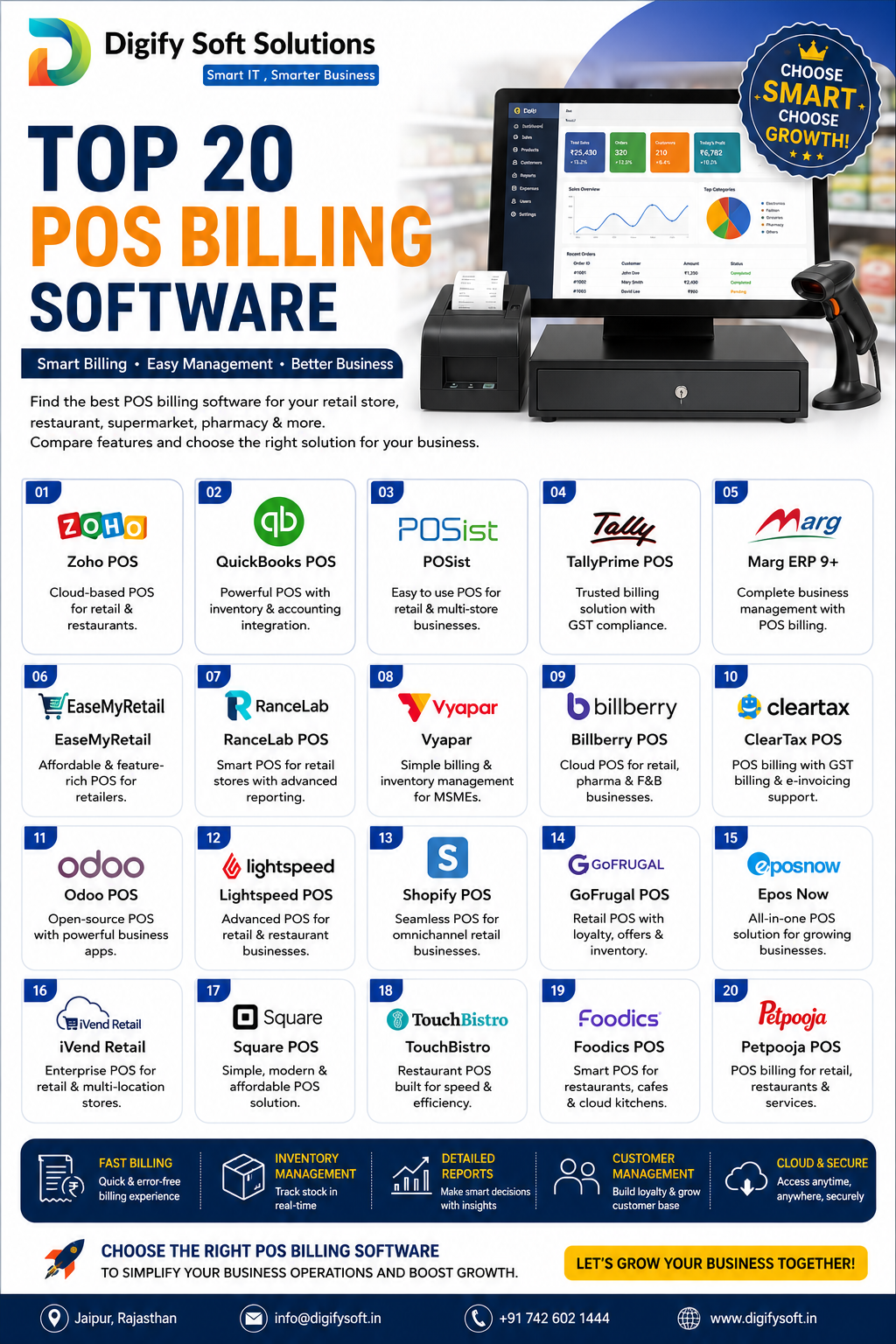
Every retail sale, restaurant bill, or store checkout eventually runs through some kind of Point of Sale system — the question is whether it's just a billing screen or a connected system that also updates stock, accounting, and customer data the moment a sale happens. POS management software is what turns a simple billing counter into real business intelligence. Here's what it does, the features that actually matter, and the best platforms available in India for 2026.
📋 Table of Contents
- What Is POS Management Software and How Does It Work?
- 10 Essential Features of POS Management Software
- Benefits of a POS Management System
- 9 Best POS Management Software of 2026
- How to Use POS Management Software Day to Day
- How to Set It Up (Implementation Steps)
- How to Know If It's Working
- Conclusion
- Frequently Asked Questions
What Is POS Management Software and How Does It Work?
POS (Point of Sale) management software is the system that handles billing at the moment of sale — and, in its modern form, connects that transaction directly to inventory, accounting, and customer records instead of leaving it as an isolated receipt. Older POS systems were essentially digital cash registers. Today's systems are the front door to your entire business data.
In practice, it works as a simple loop:
- A sale is initiated — at a counter, a mobile device, or an online checkout.
- Product/price lookup happens instantly — via barcode scan, image recognition, or manual search.
- Billing is generated — including GST calculation, discounts, and payment method (cash, card, UPI).
- Stock updates immediately — the sold item is deducted from inventory in real time, not at end-of-day reconciliation.
- Data feeds accounting and CRM — the sale is logged for tax reporting, and customer purchase history updates for future loyalty or marketing use.
On a connected platform like DigifySoft, this loop isn't billing software plugged into a separate inventory or accounting tool after the fact — POS, inventory, accounting, and CRM all share the same backend, so a sale updates every part of the business simultaneously.
10 Essential Features of POS Management Software
- Fast, accurate billing — a checkout process measured in seconds, not minutes, especially during peak hours.
- Real-time inventory sync — stock deducts instantly at the point of sale, not on a delayed batch update.
- GST-compliant invoicing — tax calculation and invoice generation built in, not a manual add-on.
- Multi-payment support — cash, card, UPI, and wallet payments handled in one flow.
- Barcode or AI-based product recognition — scanning or image-based lookup to speed up billing and reduce errors.
- Multi-store/multi-counter sync — consistent pricing, stock, and reporting across every location.
- Offline mode with auto-sync — billing continues during internet outages and syncs once connectivity returns.
- Customer and loyalty tracking — purchase history feeding into CRM and repeat-customer programs.
- Discount and pricing rules — dynamic pricing, bulk discounts, and promotional pricing applied automatically.
- Sales analytics and reporting — daily, weekly, and per-counter performance visibility without manual tallying.
Benefits of a POS Management System
- Faster checkout, shorter queues — directly improves customer experience at busy hours.
- Accurate, real-time stock levels — no more end-of-day surprises about what's actually in stock.
- Reduced billing errors — automated pricing and tax calculation cut manual mistakes.
- Better compliance — GST-ready invoicing reduces audit risk and manual tax reconciliation.
- Centralized multi-store visibility — owners can see sales across every location from one dashboard.
- Stronger customer relationships — purchase history enables targeted loyalty programs and repeat business.
9 Best POS Management Software of 2026
1. DigifySoft POS
DigifySoft's POS is built around AI-powered "Smart Image POS" billing — the system recognizes products on-screen for fast checkout, cutting queue times at busy counters. Because it shares a backend with inventory, accounting, and CRM, every sale updates stock, GST invoicing, and customer records simultaneously, with no separate reconciliation step. It supports offline billing with auto-sync, multi-store operation through omnichannel sync, and integrates with payment partners like Razorpay, Paytm, and PhonePe.
Best for: Indian retailers and multi-store businesses wanting billing, stock, and customer data connected on one AI-driven platform.
2. Ginesys POS
Ginesys is a widely used retail POS and ERP platform in India, particularly strong for apparel and fashion retail chains needing centralized multi-store control.
Best for: apparel and fashion retail chains with multiple stores.
3. Logic ERP POS
Logic ERP offers POS functionality as part of a broader retail ERP suite, commonly used by mid-size and large Indian retail chains.
Best for: established retail chains wanting POS tied into a full ERP system.
4. Petpooja
Petpooja is one of the most popular POS platforms specifically for restaurants and food businesses in India, covering billing, kitchen order tickets, and delivery integrations.
Best for: restaurants, cafes, and food service businesses.
5. Posist
Posist is another restaurant-focused POS and management platform, offering inventory, recipe costing, and multi-outlet management for food businesses.
Best for: multi-outlet restaurant chains needing recipe and inventory-level control.
6. Marg ERP POS
Marg ERP combines POS billing with inventory and accounting, long established among pharmacies, FMCG distributors, and small retail businesses in India.
Best for: pharmacies and FMCG distributors needing billing tied to compliance-heavy inventory.
7. Vyapar
Vyapar is a simple, affordable billing and accounting app aimed at small shopkeepers and micro-businesses who need basic GST billing without a full POS setup.
Best for: small shopkeepers and micro-businesses wanting simple GST billing.
8. Zoho Invoice/Billing
Zoho's billing tools offer straightforward invoicing for small businesses already using other Zoho products, without deep retail-specific POS features.
Best for: small businesses already in the Zoho ecosystem wanting basic billing.
9. Increff Retail POS
Increff extends its fashion-focused inventory expertise into POS billing, aimed at apparel retailers managing high SKU complexity at the counter.
Best for: fashion and apparel retailers with complex size/variant inventory.
How to Use POS Management Software Day to Day
- Opening counter: Start the shift with a cash/float count logged in the system, not on paper.
- Billing: Scan or search products, apply any active discounts automatically, and accept multiple payment modes in one flow.
- Stock checks: Rely on the system's live stock count rather than a manual shelf check before promising an item is available.
- End-of-day reconciliation: Match system-reported sales and cash against the actual till — discrepancies should be rare, not routine.
- Customer lookups: Use purchase history to apply loyalty discounts or flag repeat customers automatically.
- Reporting: Review daily and weekly sales-by-counter or sales-by-product reports to spot trends without manual tallying.
How to Set It Up (Implementation Steps)
- Map your billing points — every counter, store, or mobile billing device that needs the system.
- Load your product catalog — with pricing, GST rates, and barcodes/images set up correctly from day one.
- Connect payment methods — link UPI, card, and wallet providers you already use.
- Set discount and pricing rules — so staff aren't manually applying promotions inconsistently.
- Train counter staff — on billing flow, offline mode, and how to handle returns or exchanges in the system.
- Pilot at one counter or store — before rolling out across every location, to catch catalog or pricing errors early.
On DigifySoft, this setup moves faster because POS, inventory, and accounting already share one system — there's no separate integration project needed to connect billing to stock and books.
How to Know If It's Working
- Checkout time has measurably dropped, especially during peak hours
- Stock counts match between the system and physical shelves without regular firefighting
- GST invoices generate automatically with no manual tax calculation
- End-of-day cash reconciliation rarely turns up unexplained discrepancies
- Staff aren't keeping a manual backup register "just in case" the system misses something
If a manual backup register is still in daily use, that's usually a sign the system isn't fully trusted yet — worth treating as a setup gap rather than a staff training issue.
POS MANAGEMENT SOFTWARE: WHAT IT IS, KEY FEATURES & THE BEST OPTIONS IN 2026
Every retail sale, restaurant bill, or store checkout eventually runs through some kind of Point of Sale system — the question is whether it's just a billing screen or a connected system that also updates stock, accounting, and customer data the moment a sale happens. POS management software is what turns a simple billing counter into real business intelligence. Here's what it does, the features that actually matter, and the best platforms available in India for 2026.
📋 Table of Contents
- What Is POS Management Software and How Does It Work?
- 10 Essential Features of POS Management Software
- Benefits of a POS Management System
- Advantages and Disadvantages of POS Management Software
- 9 Best POS Management Software of 2026
- How to Use POS Management Software Day to Day
- How to Set It Up (Implementation Steps)
- How to Know If It's Working
- Conclusion
- Frequently Asked Questions
What Is POS Management Software and How Does It Work?
POS (Point of Sale) management software is the system that handles billing at the moment of sale — and, in its modern form, connects that transaction directly to inventory, accounting, and customer records instead of leaving it as an isolated receipt. Older POS systems were essentially digital cash registers. Today's systems are the front door to your entire business data.
In practice, it works as a simple loop:
- A sale is initiated — at a counter, a mobile device, or an online checkout.
- Product/price lookup happens instantly — via barcode scan, image recognition, or manual search.
- Billing is generated — including GST calculation, discounts, and payment method (cash, card, UPI).
- Stock updates immediately — the sold item is deducted from inventory in real time, not at end-of-day reconciliation.
- Data feeds accounting and CRM — the sale is logged for tax reporting, and customer purchase history updates for future loyalty or marketing use.
On a connected platform like DigifySoft, this loop isn't billing software plugged into a separate inventory or accounting tool after the fact — POS, inventory, accounting, and CRM all share the same backend, so a sale updates every part of the business simultaneously.
10 Essential Features of POS Management Software
- Fast, accurate billing — a checkout process measured in seconds, not minutes, especially during peak hours.
- Real-time inventory sync — stock deducts instantly at the point of sale, not on a delayed batch update.
- GST-compliant invoicing — tax calculation and invoice generation built in, not a manual add-on.
- Multi-payment support — cash, card, UPI, and wallet payments handled in one flow.
- Barcode or AI-based product recognition — scanning or image-based lookup to speed up billing and reduce errors.
- Multi-store/multi-counter sync — consistent pricing, stock, and reporting across every location.
- Offline mode with auto-sync — billing continues during internet outages and syncs once connectivity returns.
- Customer and loyalty tracking — purchase history feeding into CRM and repeat-customer programs.
- Discount and pricing rules — dynamic pricing, bulk discounts, and promotional pricing applied automatically.
- Sales analytics and reporting — daily, weekly, and per-counter performance visibility without manual tallying.
Benefits of a POS Management System
- Faster checkout, shorter queues — directly improves customer experience at busy hours.
- Accurate, real-time stock levels — no more end-of-day surprises about what's actually in stock.
- Reduced billing errors — automated pricing and tax calculation cut manual mistakes.
- Better compliance — GST-ready invoicing reduces audit risk and manual tax reconciliation.
- Centralized multi-store visibility — owners can see sales across every location from one dashboard.
- Stronger customer relationships — purchase history enables targeted loyalty programs and repeat business.
Advantages and Disadvantages of POS Management Software
Advantages
- Speeds up billing significantly compared to manual or basic cash-register checkout
- Keeps stock levels accurate in real time instead of relying on periodic manual counts
- Reduces human error in pricing, discounts, and tax calculation
- Gives owners visibility across multiple stores or counters from one dashboard
- Builds a usable customer history for loyalty programs and repeat sales
- Simplifies GST compliance with automatic invoicing
Disadvantages
- Upfront setup takes time — product catalogs, pricing rules, and staff training don't happen overnight
- Poor internet connectivity can disrupt billing on systems without a reliable offline mode
- Some platforms charge extra for features like multi-store sync, CRM, or advanced reporting as add-ons
- Staff resistance is common early on if the system replaces a familiar manual process
- Switching POS providers later can mean re-migrating product and customer data
Most of these disadvantages are implementation problems, not inherent flaws in the category — a platform like DigifySoft addresses several of them directly by including offline mode, multi-store sync, CRM, and GST billing as standard rather than paid add-ons, which removes a lot of the "hidden cost" surprise that shows up with lighter POS tools later.
9 Best POS Management Software of 2026
1. DigifySoft POS
DigifySoft's POS is built around AI-powered "Smart Image POS" billing — the system recognizes products on-screen for fast checkout, cutting queue times at busy counters. Because it shares a backend with inventory, accounting, and CRM, every sale updates stock, GST invoicing, and customer records simultaneously, with no separate reconciliation step. It supports offline billing with auto-sync, multi-store operation through omnichannel sync, and integrates with payment partners like Razorpay, Paytm, and PhonePe.
Best for: Indian retailers and multi-store businesses wanting billing, stock, and customer data connected on one AI-driven platform.
2. Ginesys POS
Ginesys is a widely used retail POS and ERP platform in India, particularly strong for apparel and fashion retail chains needing centralized multi-store control.
Best for: apparel and fashion retail chains with multiple stores.
3. Logic ERP POS
Logic ERP offers POS functionality as part of a broader retail ERP suite, commonly used by mid-size and large Indian retail chains.
Best for: established retail chains wanting POS tied into a full ERP system.
4. Petpooja
Petpooja is one of the most popular POS platforms specifically for restaurants and food businesses in India, covering billing, kitchen order tickets, and delivery integrations.
Best for: restaurants, cafes, and food service businesses.
5. Posist
Posist is another restaurant-focused POS and management platform, offering inventory, recipe costing, and multi-outlet management for food businesses.
Best for: multi-outlet restaurant chains needing recipe and inventory-level control.
6. Marg ERP POS
Marg ERP combines POS billing with inventory and accounting, long established among pharmacies, FMCG distributors, and small retail businesses in India.
Best for: pharmacies and FMCG distributors needing billing tied to compliance-heavy inventory.
7. Vyapar
Vyapar is a simple, affordable billing and accounting app aimed at small shopkeepers and micro-businesses who need basic GST billing without a full POS setup.
Best for: small shopkeepers and micro-businesses wanting simple GST billing.
8. Zoho Invoice/Billing
Zoho's billing tools offer straightforward invoicing for small businesses already using other Zoho products, without deep retail-specific POS features.
Best for: small businesses already in the Zoho ecosystem wanting basic billing.
9. Increff Retail POS
Increff extends its fashion-focused inventory expertise into POS billing, aimed at apparel retailers managing high SKU complexity at the counter.
Best for: fashion and apparel retailers with complex size/variant inventory.
How to Use POS Management Software Day to Day
- Opening counter: Start the shift with a cash/float count logged in the system, not on paper.
- Billing: Scan or search products, apply any active discounts automatically, and accept multiple payment modes in one flow.
- Stock checks: Rely on the system's live stock count rather than a manual shelf check before promising an item is available.
- End-of-day reconciliation: Match system-reported sales and cash against the actual till — discrepancies should be rare, not routine.
- Customer lookups: Use purchase history to apply loyalty discounts or flag repeat customers automatically.
- Reporting: Review daily and weekly sales-by-counter or sales-by-product reports to spot trends without manual tallying.
How to Set It Up (Implementation Steps)
- Map your billing points — every counter, store, or mobile billing device that needs the system.
- Load your product catalog — with pricing, GST rates, and barcodes/images set up correctly from day one.
- Connect payment methods — link UPI, card, and wallet providers you already use.
- Set discount and pricing rules — so staff aren't manually applying promotions inconsistently.
- Train counter staff — on billing flow, offline mode, and how to handle returns or exchanges in the system.
- Pilot at one counter or store — before rolling out across every location, to catch catalog or pricing errors early.
On DigifySoft, this setup moves faster because POS, inventory, and accounting already share one system — there's no separate integration project needed to connect billing to stock and books.
How to Know If It's Working
- Checkout time has measurably dropped, especially during peak hours
- Stock counts match between the system and physical shelves without regular firefighting
- GST invoices generate automatically with no manual tax calculation
- End-of-day cash reconciliation rarely turns up unexplained discrepancies
- Staff aren't keeping a manual backup register "just in case" the system misses something
If a manual backup register is still in daily use, that's usually a sign the system isn't fully trusted yet — worth treating as a setup gap rather than a staff training issue.
Conclusion
Every platform on this list solves billing well for a specific type of business — Petpooja and Posist for restaurants, Ginesys and Increff for fashion retail, Vyapar for small shopkeepers. The real question is whether you want a POS that just prints receipts, or one that updates stock, accounting, and customer data the instant a sale happens.
For Indian retailers and multi-store businesses that want billing, inventory, and customer data connected on one AI-driven platform instead of stitched together after the fact, DigifySoft is built to cover that ground directly.
See it on your own billing counter: Book a free demo or call +91 7425016636.
Frequently Asked Questions
What's the difference between POS software and billing software?
Basic billing software just generates invoices. POS management software connects that billing moment to real-time inventory, accounting, and customer data, so a sale updates the whole business, not just a receipt.
Do I need a POS system if I already use accounting software like Tally?
Yes, if you're billing customers directly at a counter — a POS handles the fast, transaction-level billing experience, while accounting software handles broader bookkeeping. The best setups sync the two automatically instead of requiring manual entry into both.
Can POS software work without internet?
Good POS platforms support offline billing with automatic sync once connectivity returns — worth confirming before you buy if your location has unreliable internet.
Is GST billing usually built in?
It varies. India-built platforms like DigifySoft, Vyapar, and Marg ERP include GST invoicing natively, while some global POS tools may need a local add-on for full Indian tax compliance.
Conclusion
Every platform on this list solves billing well for a specific type of business — Petpooja and Posist for restaurants, Ginesys and Increff for fashion retail, Vyapar for small shopkeepers. The real question is whether you want a POS that just prints receipts, or one that updates stock, accounting, and customer data the instant a sale happens.
For Indian retailers and multi-store businesses that want billing, inventory, and customer data connected on one AI-driven platform instead of stitched together after the fact, DigifySoft is built to cover that ground directly.
See it on your own billing counter: Book a free demo or call +91 7425016636.
Frequently Asked Questions
What's the difference between POS software and billing software?
Basic billing software just generates invoices. POS management software connects that billing moment to real-time inventory, accounting, and customer data, so a sale updates the whole business, not just a receipt.
Do I need a POS system if I already use accounting software like Tally?
Yes, if you're billing customers directly at a counter — a POS handles the fast, transaction-level billing experience, while accounting software handles broader bookkeeping. The best setups sync the two automatically instead of requiring manual entry into both.
Can POS software work without internet?
Good POS platforms support offline billing with automatic sync once connectivity returns — worth confirming before you buy if your location has unreliable internet.
Is GST billing usually built in?
It varies. India-built platforms like DigifySoft, Vyapar, and Marg ERP include GST invoicing natively, while some global POS tools may need a local add-on for full Indian tax compliance.
#POSManagementSoftware #POSSoftwareIndia #BestPOSSoftware2026 #RetailPOSSoftware #GSTBillingSoftware #SmartPOSSystem #AIRetailPOS #MultiStorePOS #CloudPOSSoftware #RestaurantPOSSoftware #DigifySoft #POSInventoryIntegration #BillingSoftwareIndia #RetailManagementSoftware #ERPPOSIntegration